Google Gemini 3 Layer Snowfall AI Photo Editing Prompts
Introduction to AI-Powered Winter Photography
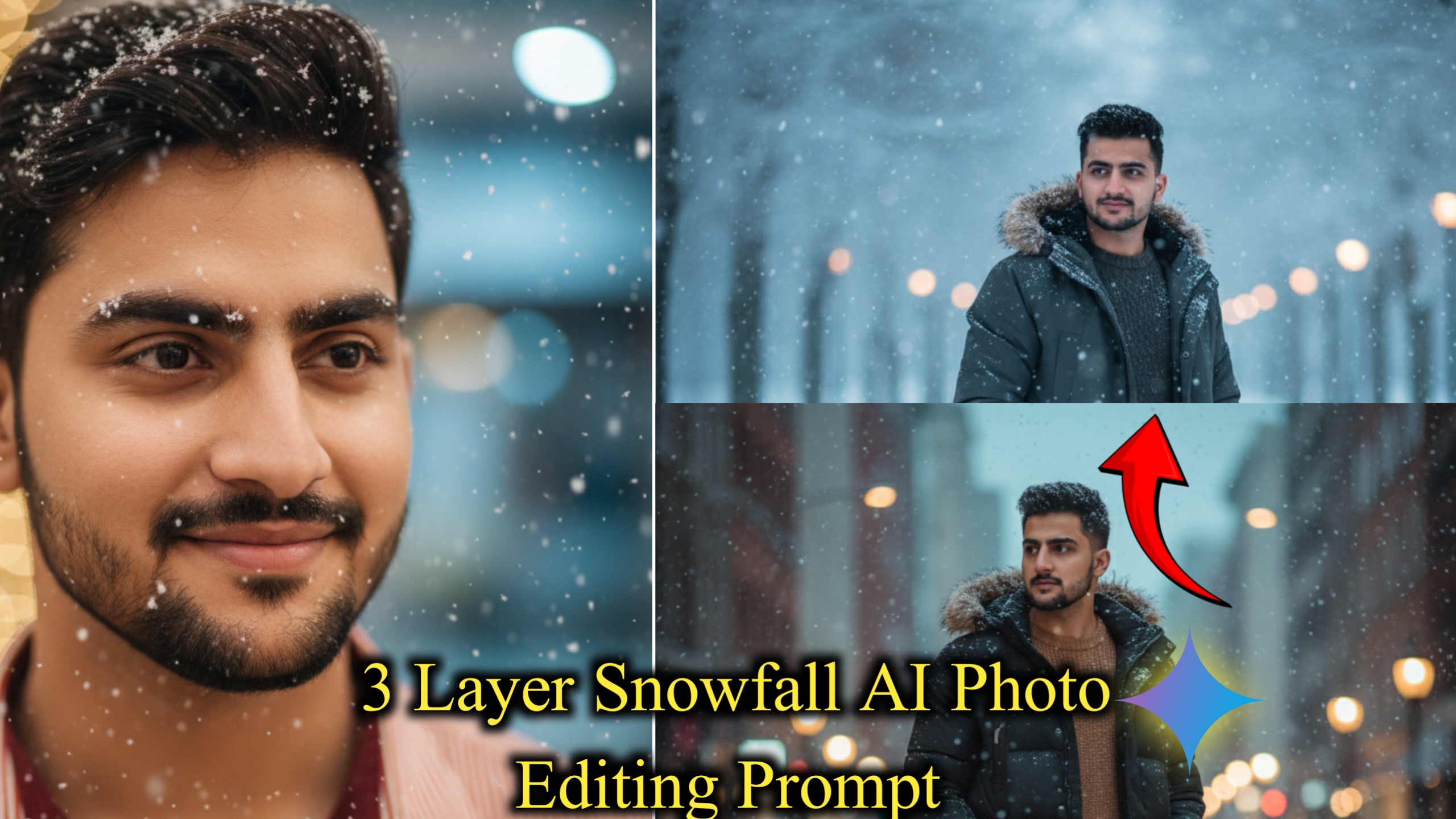
Creating stunning winter scenes with snowfall effects has never been easier thanks to Google Gemini’s advanced AI capabilities. The Google Gemini 3 Layer Snowfall AI Photo Editing Prompt technique allows photographers and content creators to add realistic snow effects to their images, transforming ordinary photos into magical winter wonderlands. This guide will help you master the art of Google Gemini 3 Layer Snowfall AI Photo Editing Prompt with carefully crafted prompts.
Also Read: Gemini Crayon Style Drawing Photo Editing Prompts
Understanding the 3 Layer Snowfall Effect
The three-layer snowfall method creates depth and realism in your winter images. The first layer adds distant, soft snowflakes that appear blurred. The second layer introduces medium-sized flakes at mid-distance, while the third layer brings large, sharp snowflakes to the foreground. This technique mimics natural snowfall patterns and creates professional-looking results.
Must Read:Gemini Aesthetic Photo Editing Prompts For Boys
Why Use Google Gemini for Snow Effects
Google Gemini stands out for its understanding of natural language and ability to generate highly detailed image modifications. Unlike basic filters, AI-powered editing creates custom snowfall that matches your photo’s lighting, perspective, and mood. The results look natural rather than artificially pasted onto your image.
Best Practices for Snowfall Prompts
When writing prompts for snow effects, be specific about snowflake size, density, and movement direction. Mention lighting conditions like whether it’s daytime, evening, or night. Include details about the atmosphere you want—gentle snow, heavy blizzard, or light flurries. The more descriptive your prompt, the better your results.
Top 10 Snowfall AI Photo Editing Prompts

1️⃣ Cinematic Snow Close-Up
“Ultra-detailed close-up portrait of a handsome young man with soft glowing skin, snowflakes on eyebrows and hair, cinematic lighting, shallow depth of field, frosty cold atmosphere, 85mm lens, perfect bokeh, hyperrealistic, soft smile, winter aesthetic”
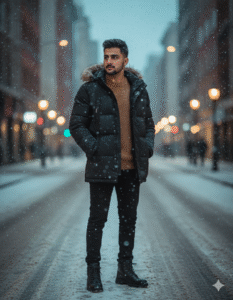
2️⃣ Stylish Winter Street Look
“A young man standing in the middle of a snowy street, wearing a stylish winter jacket, soft falling snow, cinematic blur lights in the background, highly detailed skin texture, natural expression, dreamy cold ambience, high-end fashion photography style”
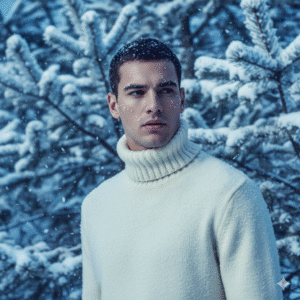
3️⃣ Magazine-Style Winter Fashion Shoot
“Male winter fashion model in a thick turtleneck sweater, snow-covered pine trees behind him, dramatic soft lighting, cool blue tones, highly detailed facial features, snowflakes on cheeks, editorial Vogue-style photoshoot”
4️⃣ Handsome Winter Glow Portrait
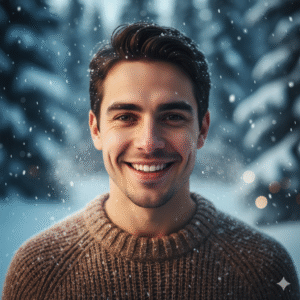
“Portrait of a smiling young man in winter weather, snowflakes gently falling, frosty breath visible, glowing warm skin tone against cold background, ultra-sharp eyes, cinematic portrait photography”
5️⃣ Snowfall Cinematic Standing Pose
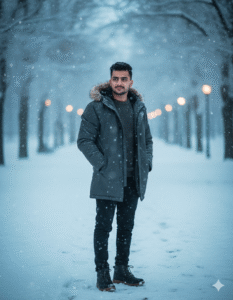
“Full-body portrait of a man standing confidently in a snowy park, blurred trees and lights in background, stylish winter coat, dreamy snowfall, natural pose, professional photography with high clarity and depth”
6️⃣ Close-Up with Snowflakes on Face
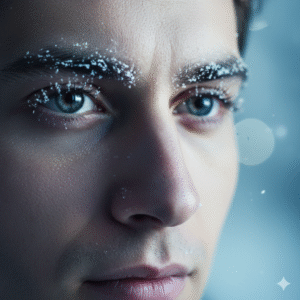
“Extreme close-up of a male face with beautiful eyes, snowflakes resting on eyelashes and eyebrows, cool winter tones, high-definition macro portrait, emotional and soft expression, cinematic lighting”
7️⃣ Winter Street Lamp Aesthetic
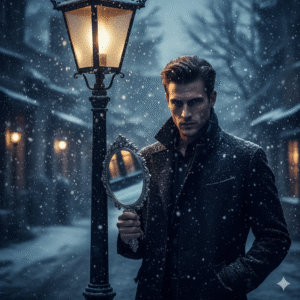
“A man holding a vintage hand mirror under a glowing street lamp in snowfall, dramatic mood, winter village background, high-contrast cinematic lighting, fashion-forward styling, strong atmosphere”
8️⃣ Soft Romantic Winter Portrait
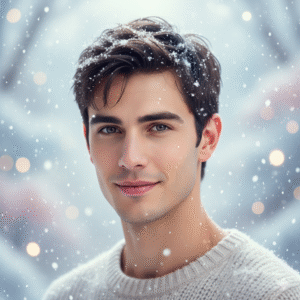
“Gentle portrait of a young man in winter snow, soft dreamy bokeh, pastel winter colors, warm smile, snowflakes sparkling in hair, ultra-detailed face, magical fairytale winter vibe”
9️⃣ High-Fashion Winter Coat Shot
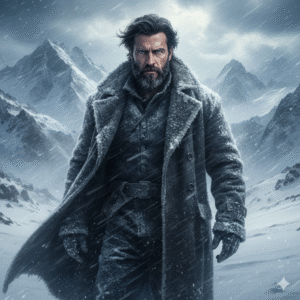
“Handsome man wearing a long black winter coat, snowy street behind him, luxury fashion photoshoot style, crisp focus, cinematic cool tones, highly atmospheric scene”
🔟 Winter Hero Look
“Epic winter portrait of a man standing in deep snow, mountains behind him, blowing snowfall, windswept hair, strong expression, dramatic movie-poster lighting, ultra-realistic details”
Tips for Better Results
Always start with high-quality original images that have good lighting. Photos with depth and clear foreground-to-background distinction work best for layered effects. Experiment with different prompt variations to find what works for your specific image style.

Conclusion
Mastering Google Gemini 3 Layer Snowfall AI Photo Editing Prompt opens endless creative possibilities for winter photo editing. These AI-generated effects save time while delivering professional results that would traditionally require advanced Photoshop skills. Practice with these prompts and adjust them to match your unique creative vision.