Gemini Village Life AI Photo Editing Prompts
As I began exploring new AI tools, I noticed how my Friends on social media were turning simple photos into cinematic, aesthetic pieces that looked straight out of real villages, and it reminded me of my own early photography days. In today’s article, I want to share how Google Gemini helps you recreate that warm Village Life vibe using smart AI Photo Editing Prompts that feel fresh and truly trending.
Many of these styles feel so viral on Instagram Trending Boys Ai Photo Editing prompt and Facebook that even a basic village-type shot looks magical from beginning to end. With Gemini AI’s 2025 upgrades, you can Copy, paste, and instantly turn your everyday clicks into stunning, realistic, rural images filled with the charm, color, and spirit of Bharat’s villages.
The whole digital reality it creates blends Indian village life with something deeply emotional—almost like those authentic moments we see while travelling through India, where the timeless beauty of the rural world stands in soft contrast to modern cityscapes, bright visuals, rich tradition, earthy colors, and peaceful memories that stay with us forever.
What I really enjoy is how these prompts help me transform simple shots into ultra-realistic images—whether it’s morning fields, misty paths, lively boulevards, mud-plastered courtyards, traditional attire, or bustling market scenes glowing under sunlit angles. Even portraits framed by rural architecture feel full of natural splendor, reflecting true village living.
I’ve used these ideas while working with creators, influencers, and even news platforms, and a simple image often becomes a heartfelt visual story. With this guide, anyone can try simple, ready-to-use Gemini AI prompts that evoke the spirit of the countryside, perfect for digital storytelling, social news feeds, and cross-cultural features that celebrate the heart of Bharat’s villages.
Village Life Gemini AI Photo Editing Copy-Paste Prompts 2025
1. Village Couple Milking Cow – Cinematic Shot
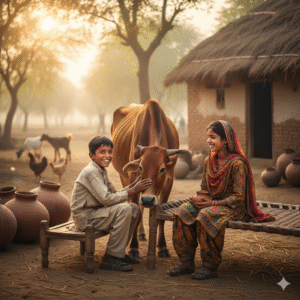
“A smiling village boy sitting on a wooden stool milking a brown cow, a girl in colorful traditional clothing sitting beside him on a charpai, soft morning light, authentic rural Indian/Pakistani village atmosphere, clay pots, mud house background, natural colors, ultra-realistic, DSLR quality, depth of field.”
2. Village Couple at Water Pump
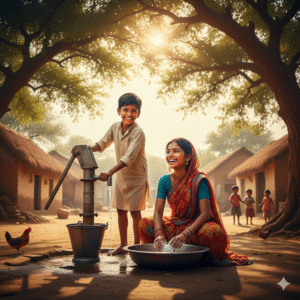
“A cheerful village couple at a handpump, the boy pumping water while the girl washes clothes, sunlight filtering through large trees, mud houses in the background, children playing, chickens around them, vibrant sari, natural smiles, hyper-real village life aesthetic, cinematic photography.”
3. Ox-Cart Romantic Ride
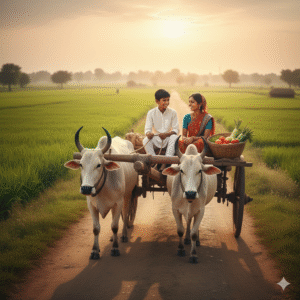
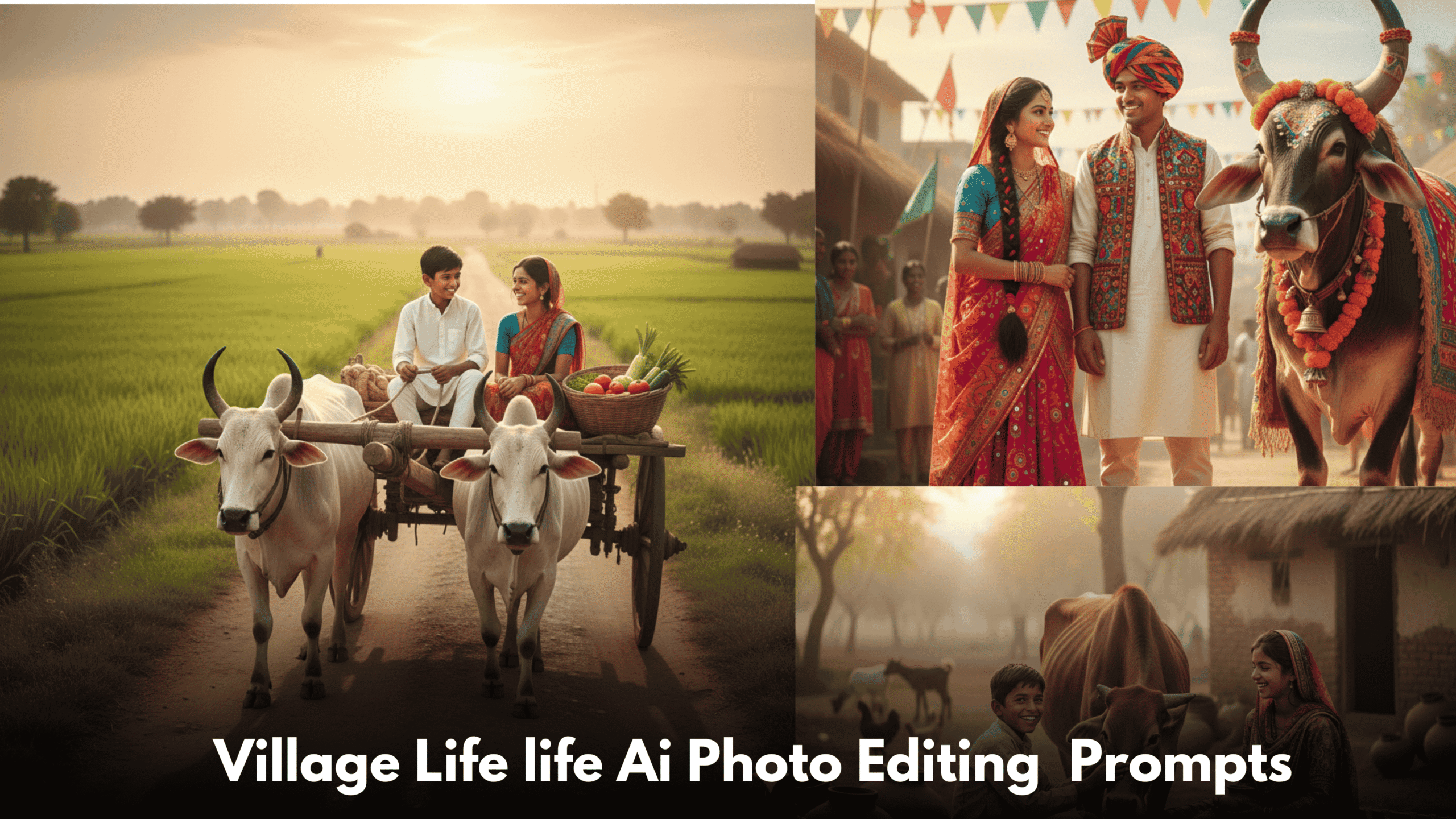
“A young village couple sitting on an ox-cart moving slowly through green fields, boy in white kurta pajama, girl in printed saree, sunset golden light, basket of vegetables beside them, countryside road, peaceful rural vibe, ultra-detailed, soft cinematic tone.”
4. Village Courtyard Morning Scene
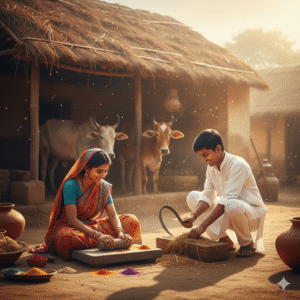
“A couple sitting in a village courtyard, girl grinding spices on a stone slab, boy cutting fodder for cattle, cow shed behind them, natural early morning light, realistic dust particles, vibrant ethnic clothes, traditional rural lifestyle aesthetic.”
5. Couple Cooking Together Outdoors
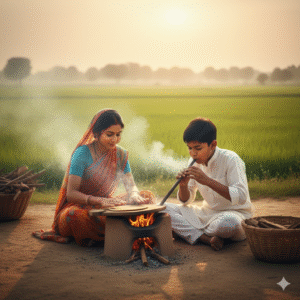
“A village couple cooking over a clay stove, smoke rising softly, girl making rotis, boy blowing air into the chulha, green fields behind them, warm sunlight, realistic textures, emotional and natural expressions, high-resolution.”
6. Couple Harvesting Wheat
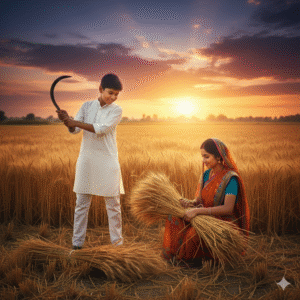
“A village couple harvesting wheat in a golden field, boy holding a sickle, girl tying a bundle of wheat, dramatic sky, warm tones, authentic rural outfits, editorial-style photography, very realistic.”
7. Couple Fetching Water from Well
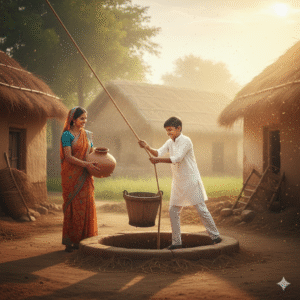
“A village boy pulling a rope from a traditional well, girl standing beside him holding a clay pot, beautiful morning glow, dust and sun rays, mud houses, lush rural landscape, ultra-photorealistic.”
8. Romantic Walk Through Fields
“A village couple walking through tall green fields, holding hands, soft wind blowing, girl’s dupatta flowing, dreamy natural light, peaceful countryside, DSLR portrait quality.”
9. Evening Lantern Scene
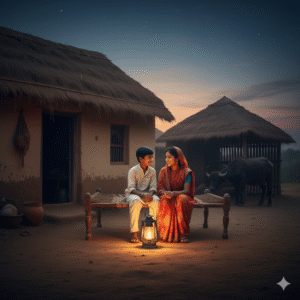
“A village couple sitting outside their mud house at dusk, lantern glowing between them, warm ambient light, buffalo shed behind, serene romantic mood, ultra-detailed rural aesthetics.”
10. Traditional Village Festival Look
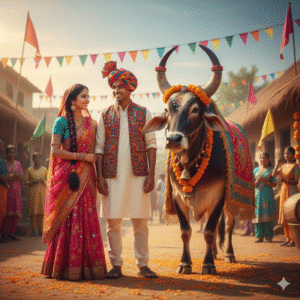
“A village couple dressed in colorful festival clothes, standing near a decorated bull, bright cultural patterns, vibrant rural environment, festive mood, cinematic portrait photography.”
Best Way To Create These Type Gemini AI Photos
Friends, to create village-style AI photos like this, first open the Gemini AI app or website and sign in with your Google account so that all editing features unlock properly. After signing in, you have to upload your own clear photo—whether it’s a selfie, daytime picture, group shot, or any image that matches your village-life idea. Just make sure the subject is in focus and well-lit, because if the face isn’t clear, the photo won’t generate properly.
Next, copy any Village Life promptVillage Life prompt you like. For example, you can use a detailed prompt describing a man sitting on a mud chauka under a neem tree with earthy textures, natural light, and a realistic rural background. After copying it, paste it into Gemini AI’s prompt field. Then choose your output settings such as 8K resolution or portrait/landscape layout. After selecting everything, send the prompt and wait for Gemini to generate your image. When the photo is ready, simply download it in high quality and share it anywhere you like.
- Open the Gemini AI app or website and sign in with your Google account.
- Upload a clear photo—selfie, daytime shot, group photo, or landscape.
- Make sure the face is in focus and well-lit.
- Copy your preferred Village Life paste the prompt into Gemini AI’s prompt field.
- Choose output settings such as 8K resolution or portrait/landscape.
- Send the prompt and wait for the image to be generated.
- Download the final high-resolution image and share it online.
FAQs
1. Can Gemini create fully realistic village photos?
Yes, if the prompt is descriptive enough.
2. Which lighting works best?
Golden hour and soft natural daylight.
3. How to make village photos look cinematic?
Use warm tones, grain, and deep contrast.
4. Can I generate village couples together?
Yes—just describe their pose, setting, and emotion.
5. How do I avoid AI distortions?
Use detailed prompts + specify camera lens style.
6. What are the best background elements?
Mud houses, fields, tractors, cattle, trees.
7. How to get traditional outfits right?
Write: “traditional rural clothing” in the prompt.
8. Can I edit my real photo using Gemini?
Yes, Gemini supports image-based enhancement prompts.
9. Are these prompts good for social media content?
Absolutely—they perform extremely well on Reels, TikTok, and Pinterest.
10. Can I request more styles?
Yes! Just ask: “Give me more village prompts.”
Conclusion
Friends, if you want to create amazing photo edits using Google Gemini for Village Life AI Photo Editing Prompts, the easiest way is to follow the new, trending updates on the website. By using the subscription feature and choosing to subscribe, you’ll get a notification every time a fresh article is published, letting you access it directly without having to search. You can join other friends, leave commenting feedback, or even make special requests, just by clicking on the notification. Following this keeps you connected today and ensures you always have the latest prompts ready to create stunning AI Photo Editing results.