Christmas AI Photo Editing Prompts: Create Magic in Seconds
The holiday season is here, and everyone wants their Christmas photos to look magical. With Christmas AI Photos Editing Prompts technology, you can transform ordinary pictures into festive masterpieces in minutes. This guide shows you how to create stunning holiday images using AI-powered tools.
What Are Christmas AI Photo Editing Prompts?
Christmas AI photo editing prompts are text instructions you give to artificial intelligence tools to generate or edit holiday-themed images. These prompts tell the AI exactly what festive elements, styles, and effects you want in your photos. Instead of spending hours manually editing, you simply describe your vision, and the AI brings it to life.
Also Read: Happy New year 2026 AI Photo Editing Prompts
Why Use AI for Christmas Photo Editing?
Traditional photo editing takes time and skill. AI photo editors change the game by making professional-quality edits accessible to everyone. You can add snow effects, Christmas lights, Santa Claus elements, or completely transform backgrounds with simple text commands.
The technology saves time during the busy holiday season. What once took hours in Photoshop now happens in seconds. Plus, you can experiment with multiple styles without commitment until you find the perfect festive look.
Must Read: Dhurandhar Movie Akshay Ai Photo Editing Prompts
Best Christmas AI Christmas AI Photo Editing Prompts Photo Editing Prompts to Try
🎄 Prompt 1: Santa Meet Holiday Portrait

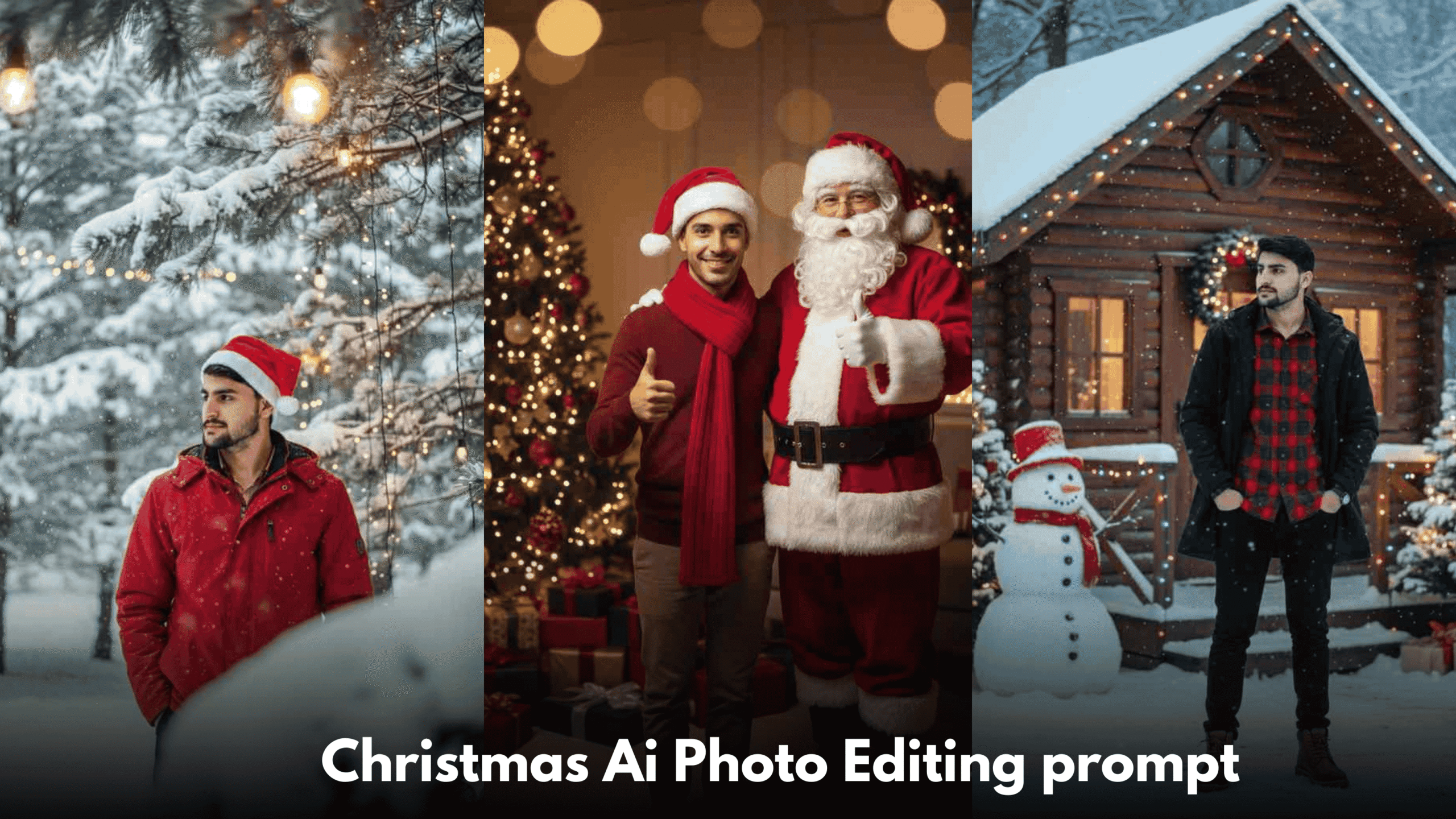
Transform the uploaded photo into a realistic Christmas portrait. Keep the person’s **real face, skin tone, expression, and body structure exactly the same**. Add a friendly Santa Claus standing beside the person, both giving a thumbs-up. Decorate the background with a Christmas tree, warm fairy lights, wrapped gift boxes, and a soft golden bokeh effect. Cinematic lighting, ultra-realistic, DSLR quality, festive mood.
🎄 Prompt 2: Cozy Christmas Portrait With Mini Tree
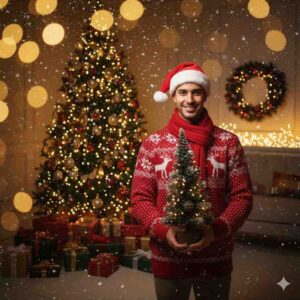
Edit the uploaded photo into a cozy Christmas portrait. Preserve the **original facial features and realism**. Add a red Christmas sweater and Santa hat. Place a small decorated Christmas tree in the person’s hands with glowing lights. Background filled with warm golden bokeh lights and gentle snowfall. Professional portrait photography, soft focus, festive atmosphere.
Also Read: Happy New year AI Photo Editing Prompts
🎄 Prompt 3: Winter Snow House Scene
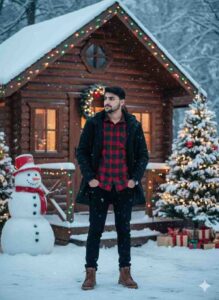
Convert the uploaded image into a cinematic winter Christmas scene. Keep the person’s **real identity unchanged**. Place them standing in front of a snow-covered wooden house decorated with colorful Christmas lights. Add a snowman, Christmas trees, gift boxes, and falling snow. Ultra-realistic lighting, magical holiday vibe, 4K quality.
🎄 Prompt 4: Elegant Holiday Card Style

Turn the uploaded photo into an elegant Christmas greeting card portrait. Maintain the **exact face, eyes, and expression**. Dress the person in warm winter clothing with a Santa hat. Add soft snowfall, glowing fairy lights, and blurred Christmas decorations in the background. Clean, classy, professional holiday photography style.
🎄 Prompt 5: Warm Indoor Christmas Setup
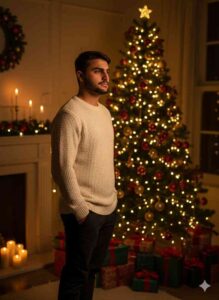
Edit the uploaded photo into a warm indoor Christmas scene. Keep facial realism untouched. Place the person beside a decorated Christmas tree inside a cozy room. Add soft yellow lighting, candles, gift boxes, and subtle bokeh lights. Ultra-realistic, cozy, festive mood, high detail.
🎄 Prompt 6: Snowfall Outdoor Portrait
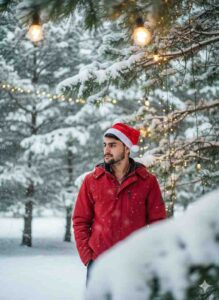
Transform the uploaded photo into a winter outdoor Christmas portrait. Preserve the person’s real look and proportions. Add a red winter jacket and Santa cap. Surround with snow-covered trees, glowing lights, and gentle snowfall. Cinematic depth of field, ultra-realistic, holiday aesthetic.
Also Read: Snow Fall 3 Layer Ai Photo Editing Prompts
🎄 Prompt 7: Santa Style Solo Portrait

Edit the uploaded photo into a Santa-inspired festive portrait. Keep the face completely realistic and unchanged. Add Santa hat, soft red tones, and warm lighting. Background filled with Christmas ornaments, fairy lights, and light snowfall. Studio-quality portrait, festive glow.
🎄 Prompt 8: Magical Christmas Night Scene
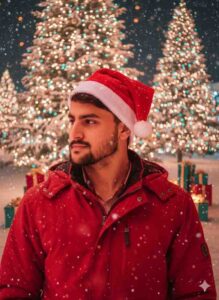
Turn the uploaded image into a magical Christmas night scene. Keep the person’s real face and expression. Place them in a softly lit winter environment with glowing Christmas trees, gift boxes, and falling snow. Add cinematic lighting and dreamy bokeh. Ultra-realistic, fantasy-like holiday feel.
🎄 Prompt 9: Minimal Christmas Portrait
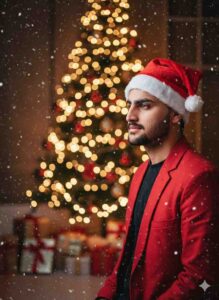
Transform the uploaded photo into a clean and minimal Christmas portrait. Preserve facial realism. Add a simple Santa hat and soft snowfall. Use a blurred background with warm golden Christmas lights. Professional photography, natural skin texture, festive but elegant.
Village life AI Photo Editing Prompts
🎄 Prompt 10: Viral Christmas Reel Look
Edit the uploaded photo into a viral Christmas social-media style portrait. Keep the original face and body intact. Add Santa hat, snow particles, glowing Christmas lights, and a cozy festive background. High contrast, sharp focus, cinematic lighting, ultra-realistic, Instagram-ready.
Popular AI Tools for Christmas Photo Editing
Several platforms excel at holiday photo editing. Midjourney offers artistic, high-quality Christmas scenes with detailed prompts. DALL-E provides quick generation of festive images with straightforward commands. Stable Diffusion gives you complete control over every aspect of your Christmas edits.
Canva’s AI features work perfectly for social media Christmas posts and cards. Adobe Firefly integrates seamlessly if you already use Photoshop. Each tool has strengths, so choose based on your specific needs and skill level.
Tips for Writing Effective Christmas Prompts
Describe the mood first. Words like “cozy,” “magical,” “elegant,” or “playful” set the overall tone. Then specify Christmas elements you want included such as snow, lights, ornaments, or wreaths.
Mention lighting preferences because it dramatically affects the final image. “Warm golden glow,” “soft candlelight,” or “bright winter sunlight” each create different atmospheres.
Include style references when helpful. Terms like “cinematic,” “vintage,” “modern minimalist,” or “traditional Christmas card” guide the AI’s artistic choices.
Always mention what should remain unchanged. If editing a family photo, specify “keep faces and people natural and unaltered” to avoid unwanted modifications.
Creating Christmas Cards with AI Prompts
Christmas cards are perfect AI projects. Try prompts like “elegant Christmas prompt card design with gold foliage border, space for text in center, luxury holiday aesthetic AI prompt” for sophisticated results.
For fun family cards, use “cartoon style family portrait in front of decorated Christmas tree, playful and colorful, holiday greeting card format.”
The AI can generate both the background designs and enhance your actual photos for printing professional-quality cards at home.
Conclusion
Christmas AI photo editing prompts make holiday photo enhancement easy and fun. With the right tools and well-crafted prompts, you can create magazine-quality Christmas images without professional editing skills. Start experimenting with these techniques today to make your holiday photos truly memorable. The technology continues improving, offering more creative possibilities each season for capturing and enhancing your Christmas memories.