10 Powerful AI Photo Editing Prompts for Cinematic Look
Have you ever wondered how professional photographers and content creators achieve those breathtaking, movie-like effects in their photos? The secret lies in using the right AI photo editing prompts. In this comprehensive guide, I’ll walk you through everything you need to know about creating cinematic visuals using AI tools.
What Makes a Photo Look Cinematic?
Before we dive into the prompts, let’s understand what creates that “cinematic” feel. Cinematic photos typically feature:
– Rich, moody color grading with deep contrast
– Dramatic lighting that tells a story
– Shallow depth of field that draws focus
– Film-like grain and texture
– Professional composition with intentional framing
– Atmospheric elements like fog, rays of light, or shadows
These elements combe to create images that look like they’re pulled straight from a Hollywood movie scene.
Why Use AI for Cinematic Photo Editing?
AI photo editing has revolutionized how we transform ordinary photos into extraordinary visual stories. Instead of spending hours mastering complex software like Photoshop or Lightroom, you can now describe your desired outcome, and AI tools do the heavy lifting. This democratizes professional-level editing for everyone, whether you’re a beginner or a seasoned creator.
Best AI Tools for Cinematic Photo Editing
Several AI platforms excel at creating cinematic effects:
– Gemini :Excellent for generating detailed editing instructions and style transformations
– ChatGPT: Great for creating comprehensive prompt structures and editing workflows
– Midjourney: Perfect for reimagining photos with cinematic aesthetics
– DALL-E: Useful for adding cinematic elements to existing photos
Each tool has its strengths, and the prompts I’ll share can be adapted across platforms.
Must Read: Are Ai Photo Editor Safe to use?
10 Powerful AI Photo Editing Prompts for Cinematic Look
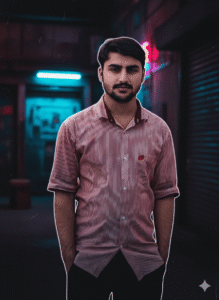
Ultra cinematic portrait, neon lights, deep shadows, dramatic rim light, moody atmosphere, shallow depth of field, 85mm lens look, film grain, cyberpunk color grading, professional movie still
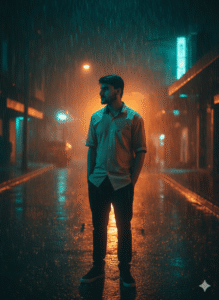
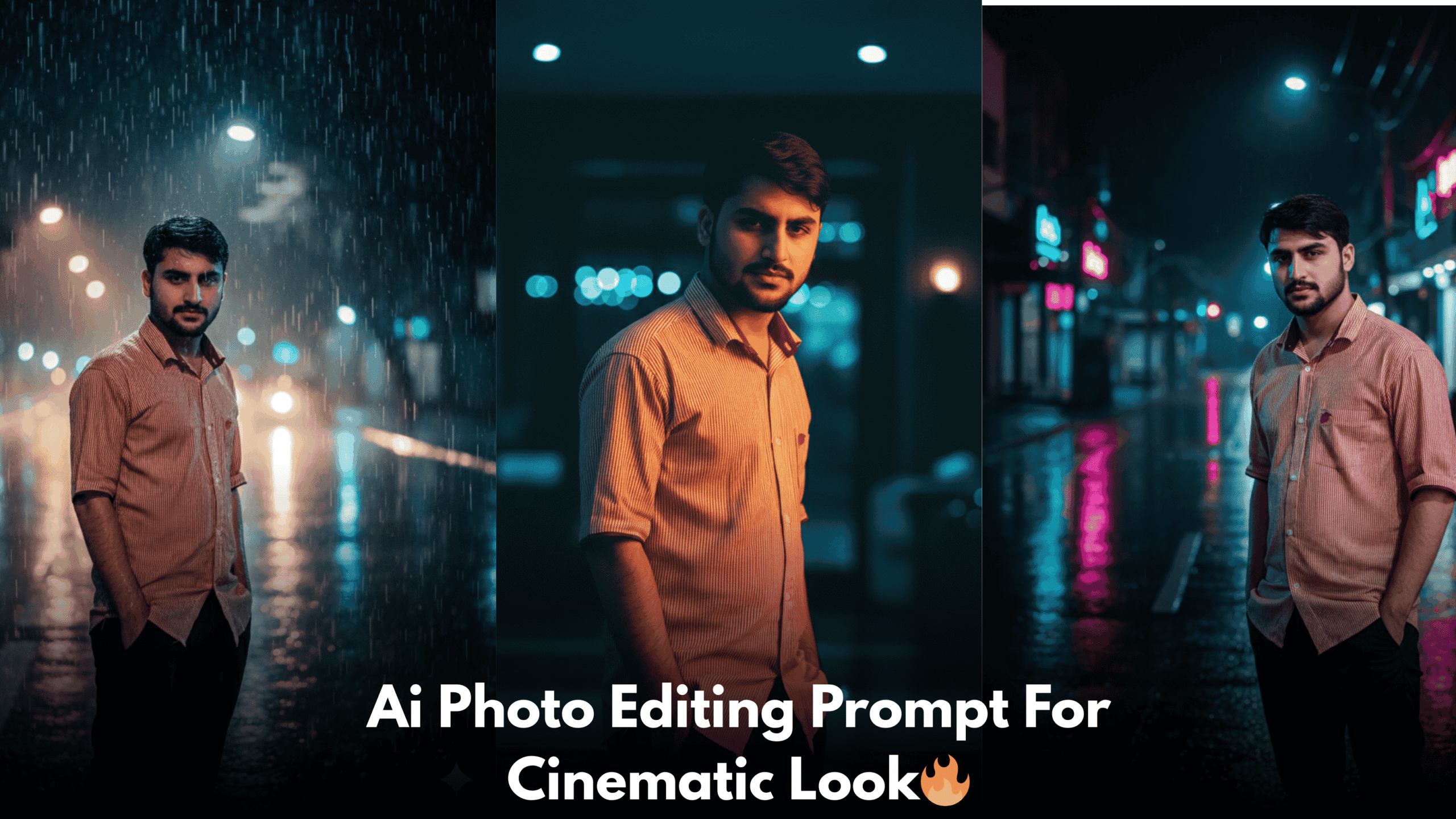
2.Dark cinematic night scene, rain falling, orange and teal color grading, intense expression, soft fog, backlight glow, Hollywood action movie vibe, ultra realistic, high contrast lighting
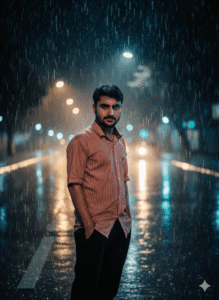
3.80s retro cinematic look, neon pink and blue lights, arcade background glow, soft haze, cinematic composition, detailed skin texture, film grain, nostalgic movie still
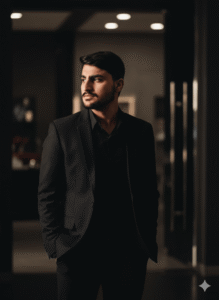
4.Moody cinematic portrait, low key lighting, strong jawline shadows, dramatic contrast, black outfit, luxury fashion film style, ultra sharp focus, cinematic color tones
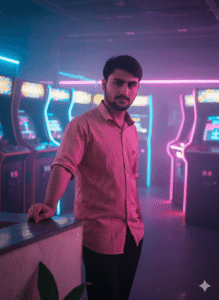
5.Rainy night cinematic scene, street lights bokeh, mysterious atmosphere, cinematic lighting, slow shutter motion rain, professional color grading, realistic movie frame
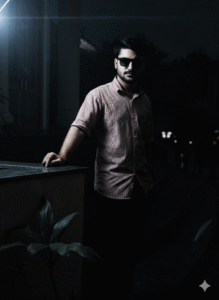
6.High budget Bollywood cinematic shot, dramatic lighting, intense mood, smoke and fog effects, cinematic shadows, ultra realistic skin details, movie poster style
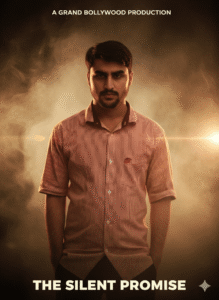
7.Neo-noir cinematic portrait, dark background, hard side lighting, stylish sunglasses, cinematic glow, deep blacks, modern thriller movie look
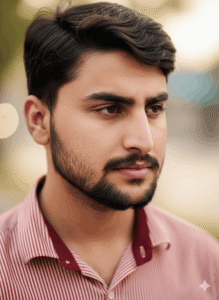
8.Cinematic close-up portrait, emotional depth, soft diffused light, shallow depth of field, creamy bokeh, film look, high dynamic range, professional color grading
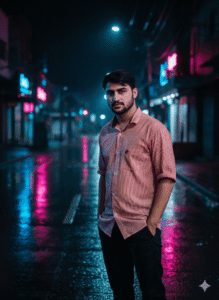
9.Epic cinematic night portrait, neon reflections, wet street, cinematic framing, dramatic mood, ultra realistic textures, cinematic storytelling style
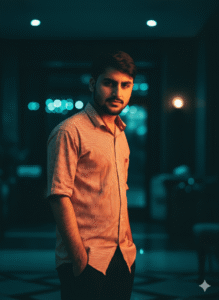
10.Hollywood cinematic portrait, moody lighting, teal and orange color grading, soft film grain, cinematic sharpness, luxury movie still, ultra high quality
How to Use These Prompts Effectively
When working with these prompts, remember that customization is key. Here’s how to get the best results:
1. Start with the base prompt that matches your vision
2. Add specific details about your photo (indoor/outdoor, time of day, subject clothing)
3. Adjust intensity by specifying “subtle” or “dramatic” for each effect
4. Reference specific filmsif you want to match a particular movie’s look
5. Experiment with combinationsby merging elements from different prompts
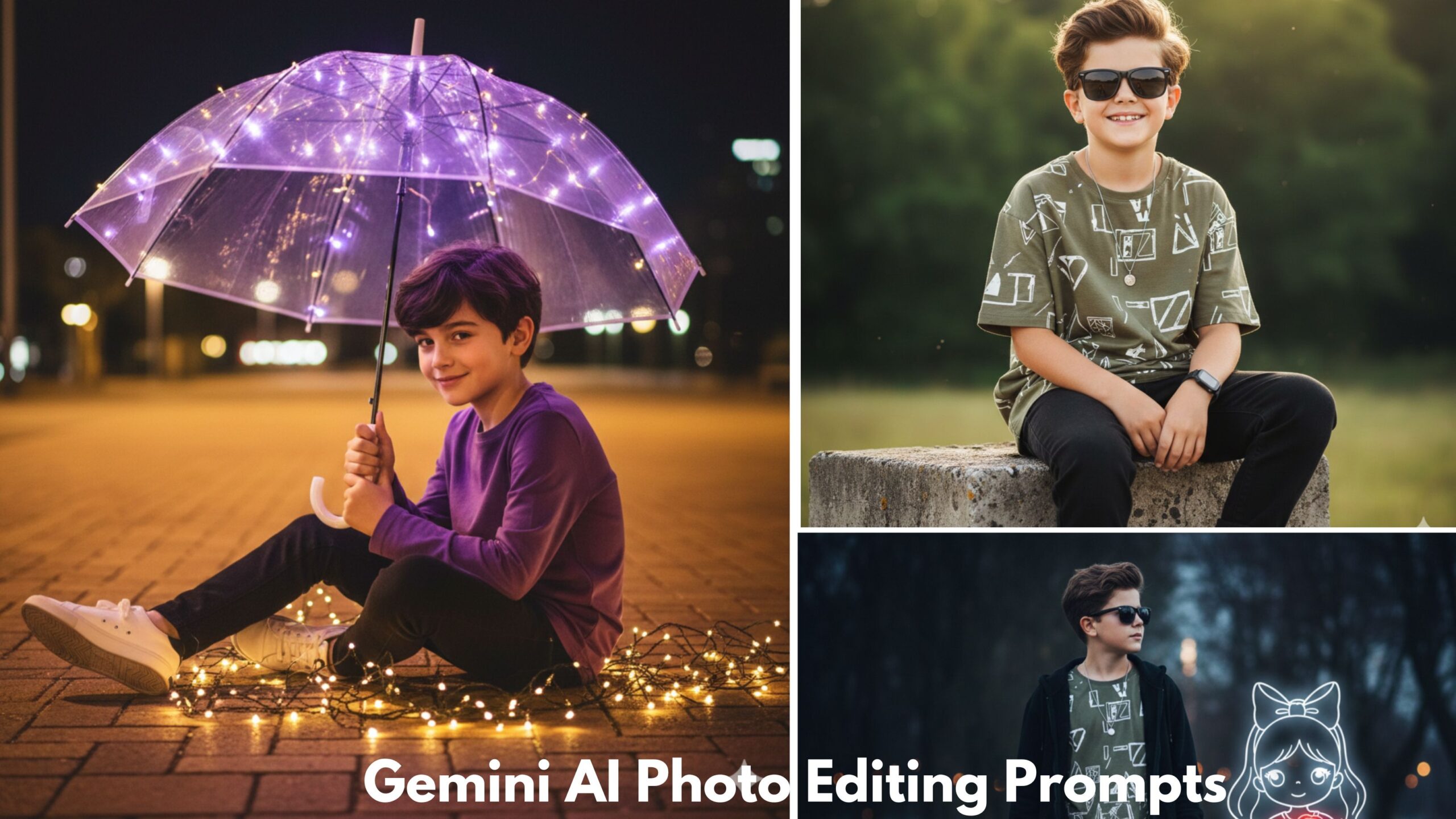
For example, if you’re working on a portrait similar to what you might create with Google Gemini AI Photo Editing Prompts for Boys, you could combine the Neo-Noir Detective Style with urban elements for a modern, edgy look.
Advanced Techniques for Cinematic Editing
Layering Multiple Styles
Don’t limit yourself to one prompt. Professional editors often layer multiple effects. Start with your base cinematic color grade, then add atmospheric elements, and finally adjust lighting for drreating Consistency Across Photo Series
If you’re editing multiple photos for a project, maintain consistency by:
– Using the same core prompt structure for all images
– Keeping color temperature and contrast levels similar
– Maintaining consistent mood and atmosphere
– Applying the same film grain or texture settings
This approach works wonderfully when you’re creating themed content, much like how Gemini Notebook Drawing AI Photo Editing Prompts maintain a cohesive aesthetic throughout a collection.
Seasonal and Event-Specific Cinematic Edits
Certain times of year call for specific cinematic treatments. The holidays, for instance, offer perfect opportunities for dramatic, emotional photo editing.
When approaching seasonal edits, think about the emotional resonance you want to create. For winter celebrations, you might want to explore techniques similar to those found in Christmas AI Photo Editing Prompts, which capture the magical, warm glow of the season with cinematic flair.
Looking ahead to celebrations, the transition into a new year presents unique creative opportunities. The Happy New Year 2026 AI Photo Editing Prompt style typically incorporates elements like:
The Future of AI Cinematic Editing
AI photo editing technology evolves rapidly. We’re moving toward:
– More precise control over specific image areas
– Better understanding of complex artistic directions
– Improved consistency across image series
– Integration of video and motion into still image editing
– Real-time preview of edits before final rendering
Staying current with these developments will keep your skills sharp and your creative options expanding.
Another Article link for More Effective Cinematic prompt
Here’s a streamlined process for using AI prompts:
1. Select and prepare your image (proper resolution, basic cleanup)
2. Identify your desired mood and style from the 10 prompts or create a custom variation
3. Write your detailed prompt including all essential elements
4. Generate your first version and evaluate results
5. **Refine with a second prompt** addressing any issues or adjustments needed
6. Export and archive both your final image and the successful prompt for future reference
This systematic approach saves time and builds your personal library of effective prompts.
Frequently Asked Questions (FAQ)
Q: Can I use these AI cinematic prompts for commercial projects?
Yes, most AI-generated edits can be used commercially, but always check the specific terms of service for the AI platform you’re using. Some platforms have different rules for free versus paid accounts regarding commercial usage.
Q: Do I need professional photos to achieve cinematic results with AI?
Not necessarily. While higher quality source images provide more detail to work with, AI can dramatically transform even smartphone photos. The key is having proper exposure and reasonable focus in your original image. Poor lighting can be corrected, but severe blur or extreme underexposure limits what AI can achieve.
Q: Which AI tool gives the most cinematic results: ChatGPT, Gemini, or Midjourney?
Each excels at different aspects. Midjourney and DALL-E are best for completely reimagining photos with artistic interpretation. ChatGPT and Gemini excel at generating detailed editing instructions that you can apply in traditional editing software or use with image-specific AI tools. For the most control, use ChatGPT or Gemini to craft your prompts, then apply them in specialized image AI tools.
Q: How specific should my prompts be for cinematic editing?
More specific is generally better. Instead of “make it look cinematic,” describe the exact mood, lighting, colors, and film references you want. Compare “dramatic lighting” to “single key light from 45 degrees creating chiaroscuro shadows with warm 3200K color temperature.” The second will give you much more predictable, professional results.
Q: Can AI replicate the exact look of specific movies like Blade Runner or The Godfather?
AI can approximate iconic film aesthetics but not replicate them exactly. When you reference specific films, AI pulls from general knowledge of their visual characteristics (color grading, lighting styles, composition). You’ll get results inspired by those films, which is usually what you want rather than an exact copy.
Q: Why do my AI-edited photos sometimes look artificial or overdone?
This happens when prompts request too many intense effects simultaneously. To fix this, add modifiers like “subtle,” “natural,” or “realistic” to your prompts. Specify “filmic” or “organic” qualities rather than “dramatic” or “intense” for every element. Building up effects gradually across multiple prompts often yields more natural results than requesting everything at once.
Q: Should I edit my photo traditionally before using AI cinematic prompts?
Basic preparation helps. Adjust exposure, straighten horizons, and crop for composition before using AI prompts. However, don’t do heavy color grading or stylistic edits beforehand, as this can confuse AI tools. Start with a clean, well-exposed base image and let AI handle the creative transformation.
Q: How do I maintain skin tones when applying dramatic cinematic color grades?
Always include “natural skin tones” or “preserve realistic skin colors” in your prompts when working with portraits. You can also specify “color grade everything except skin” or “selective color grading avoiding faces.” This tells AI to protect skin while applying dramatic effects to the environment.
Q: Can I combine multiple cinematic styles in one photo?
Yes, but be strategic. Some combinations work beautifully (film noir lighting with modern color grading), while others clash (soft romantic glow with harsh action movie contrast). When combining styles, be explicit: “Apply neo-noir shadows and composition but keep the color palette.
Final Thoughts: Your Cinematic Journey Begins Now
Mastering AI photo editing prompts for cinematic looks opens up incredible creative possibilities. You don’t need expensive equipment, years of training, or complicated software to create stunning, professional-looking images that tell compelling visual stories.
The 25 prompts I’ve shared are your starting point, not your destination. Experiment freely, combine different elements, reference your favorite films, and most importantly, develop your unique visual voice. Every great cinematographer started by learning the rules before breaking them creatively.